


Why AI engineers are hard to hire, and what helps
When an AI engineering search runs five months, the instinct is to fix the process. Usually the problem is the profile, and it calls for a different approach.
Read More


Cursor vs Claude Code looks like a question about which AI tool writes better code. For a team, it is a different question: where an AI agent is allowed to act on your codebase, who sets its limits, and how its work gets reviewed before it ships. One developer picks a coding tool by feel. An engineering leader who standardizes one for twelve people is writing a policy, and the same holds when the shortlist includes Codex and GitHub Copilot.
Most comparisons that rank for this search come from one developer who tried two tools on a side project. That is useful if you are that developer. If you lead the team, the useful questions are other ones: which tool your security lead can lock down, what a seat really costs once usage runs past the included amount, and what happens when a new engineer arrives used to a different tool.
This piece compares the four on those questions, using each vendor's own documentation as of October 8, 2026. Its argument is simple: the tool you standardize on matters less than the review discipline you put around it.
The short answer used to be "Cursor is an editor, Claude Code is a terminal agent." That line no longer holds. All four tools now reach developers through several surfaces, so the interface is rarely what should decide a team standard.
What still differs is model choice. Cursor is built around picking a model from several vendors, while Claude Code and Codex come from the companies that build the underlying models. For a team, that is a procurement question as much as a technical one: one vendor relationship or several, and one review of how your code is handled or several. The same logic applies to Codex vs Cursor and to Cursor vs Copilot: compare the defaults and the controls, not the editor.
Codex and Claude Code both read your repository, edit files and run commands. The difference that matters to a team is the default boundary, and whether an administrator can make it stick across every laptop.
Claude Code starts by reviewing. Under Claude Code's permission settings, Manual mode asks before running shell commands and before editing files, with an exception for a built-in set of read-only commands. Recent versions, though, start terminal and VS Code sessions in auto mode, where a second model reviews those actions instead of a person. Administrators can turn auto mode off and deploy managed settings that user and project settings cannot override, and a tool denied at any level cannot be allowed from another.
Codex starts by fencing. In Codex's sandbox and approval rules, the default mode lets it read files, make edits and run commands inside the working directory, and it asks before going beyond that boundary. Network access stays off unless someone turns it on in the configuration. Administrators can also set requirements on their side for the whole workspace.
Neither default is safer in the abstract. What your team has to decide is the same with both tools:
That last point is where Claude Code security and Codex security are won or lost. A sensible rule on one laptop is a preference. The same rule in a managed configuration is a policy.
GitHub Copilot Business and Enterprise let administrators exclude files from Copilot, a feature GitHub calls content exclusion. It is the control most teams reach for when a folder holds secrets, client code or anything a model should not read.
The detail that a single-developer review never mentions sits in GitHub's own content exclusion docs: exclusion is currently not supported in the Edit and Agent modes of Copilot Chat in VS Code and other editors. In practice, the rule that keeps a file out of inline suggestions and chat does not cover the mode where Copilot edits files on its own. If your team relies on exclusion, write that limit into your policy instead of discovering it in a security review.
On the Cursor side, the Teams plan adds team-wide privacy mode, which a team admin can enforce, along with SAML/OIDC single sign-on and usage analytics. Privacy mode governs whether your code can be used for training. It does not decide what the agent may run, so Cursor security for a team still needs the same command and access rules as the other three.
All four tools now combine a seat price with metered usage on top. The seat is the predictable part. The usage is the line that grows with how much work the agent does.
List prices in US dollars, from each vendor's pricing page on October 8, 2026, before taxes. Plans change often; check them the week you decide.
Two consequences follow for a budget. First, compare plans on the work, not on the seat: an engineer who runs an agent for hours a day will cross the included amount on any of the four. Second, the usage line does not disappear when a tool gets cheaper; it moves. That is why the AI-augmented team model puts it in the business case from day one, in its own words: "There's a token cost, and it's not zero."
The tool shapes how fast code gets written. It does not decide whether that code is any good. Four things do, and none of them comes in the box:
This is also what decides the scenario every team meets sooner or later: a new engineer joins, used to a different tool. Keybindings do not matter. The rules file, the permission policy and the review checklist are what carry over, and an engineer who already works that way is productive faster. That is the idea behind engineers who arrive with the frameworks and playbooks of a larger group: a written way of reviewing code and granting access that adapts to your practices instead of replacing them. If you are hiring for this, ask candidates how they review code an agent wrote; these questions for AI developer interviews are a good place to start.
Rankings between the models change with almost every release, so a comparison written today is outdated within months. For a team, the more stable question is the agent around the model: its default permissions, the controls an admin gets, and how its output reaches review. Those change far more slowly than a benchmark.
Copilot Business costs $19 per granted seat per month and includes 1,900 AI credits per user per month. Copilot Enterprise costs $39 and includes 3,900, with all the features of Business. Enterprise is designed for organizations using GitHub Enterprise Cloud, so for a team not on that platform the choice is usually made already.
Yes, and many do. The cost is in governance, not licenses: every additional tool is another permission model to configure, another place where code can leave the building, and another set of defaults to review. If you allow two, hold both to the same written rules.
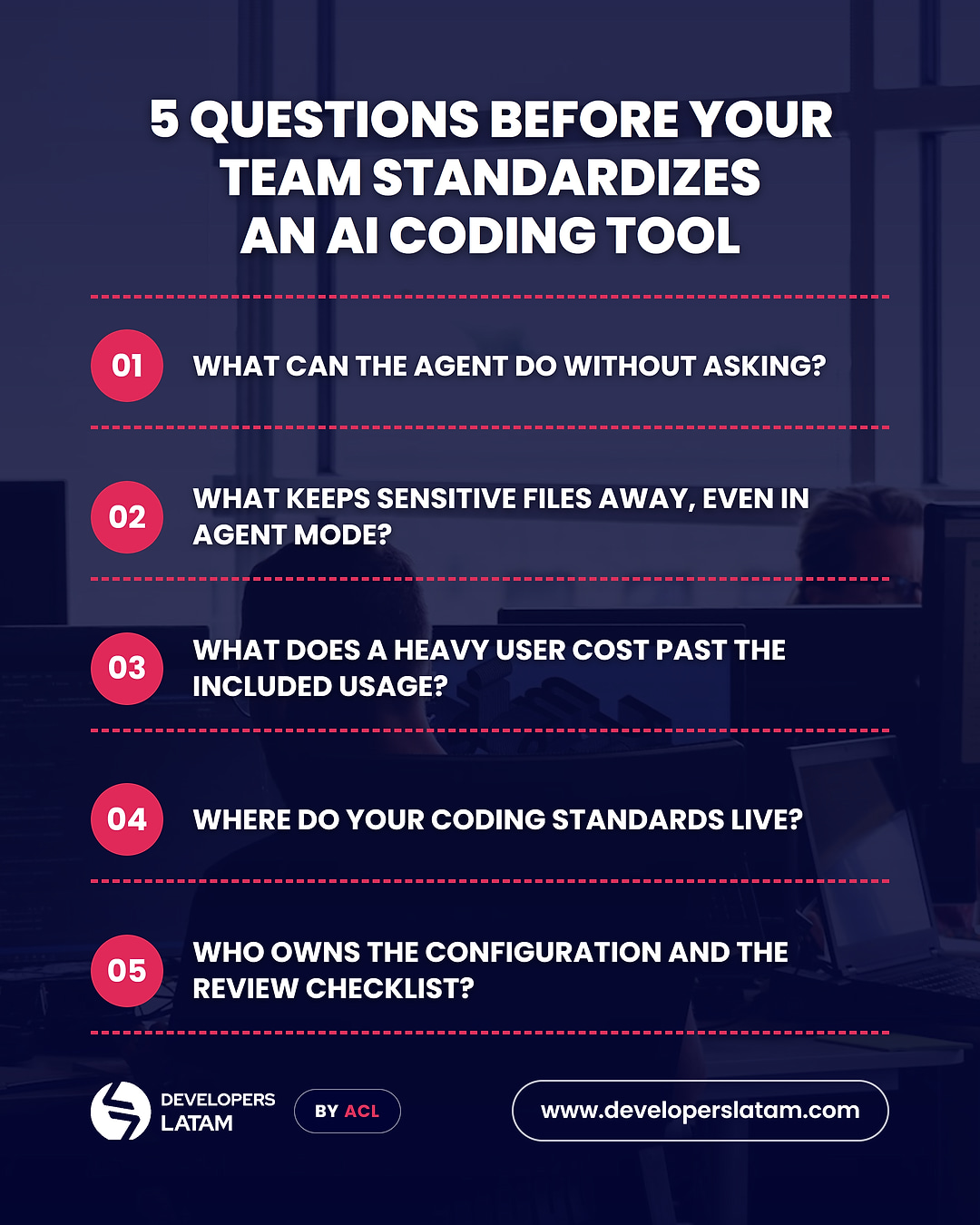
Run the shortlist through five questions before any contract:
The answers will narrow the four tools faster than any benchmark. The broader picture of what AI changes in an engineering team is in our guide to AI for software development. And if what you need is the people who make the tool pay off, see how an AI-augmented engineering team works with us, or talk to us about a position.
Learn more about nearshore software development by reading the articles from our blog!


